Fuups AI Case Study
A website designed and developed to offer an intuitive platform for generating AI-based images. The objective of this project was to create an easy-to-use website that enables users to create unique visuals without requiring any design experience. Through a user-centric approach and streamlined design, "Fuups AI" empowers individuals to unleash their creativity effortlessly.

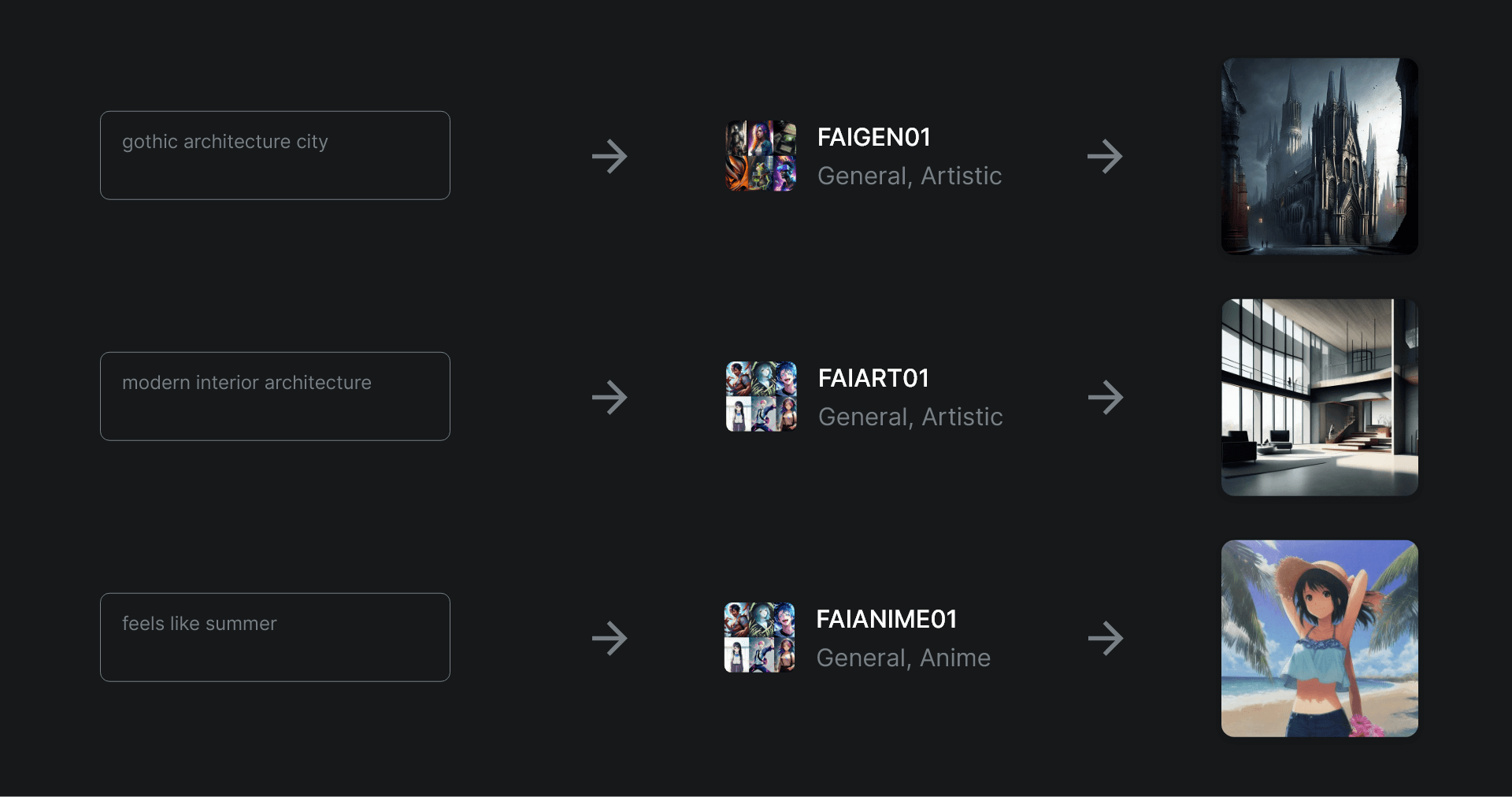
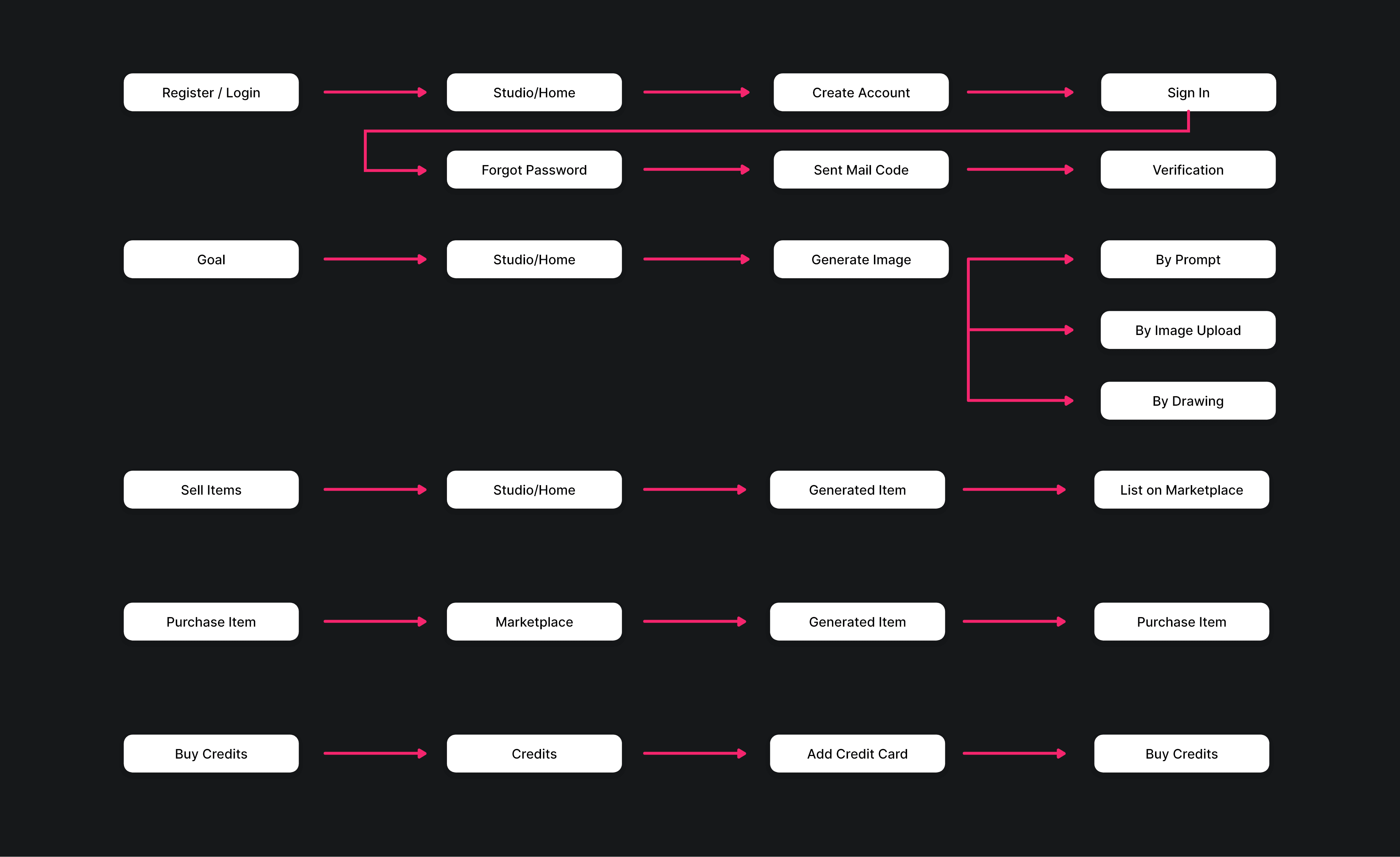
Within Fuups AI, users have the flexibility to generate images through three distinct methods: prompts, image uploads, and a drawing canvas. This diverse range of options ensures that users can choose the approach that best suits their creative preferences and easily produce their desired visuals.
Prompt Only
The user can type a prompt that appeals to them, and the website generates an image based on that prompt. For example, if a user type the "ocean" on the prompt, the website will generate an image with an ocean theme.
Drawing
For users who want complete control over the image they generate, the "Drawing Canvas" option allows them to create an image using a drawing tool. The user can draw with black simple brush and basic canvas controls can be used such as undo, reundo etc...
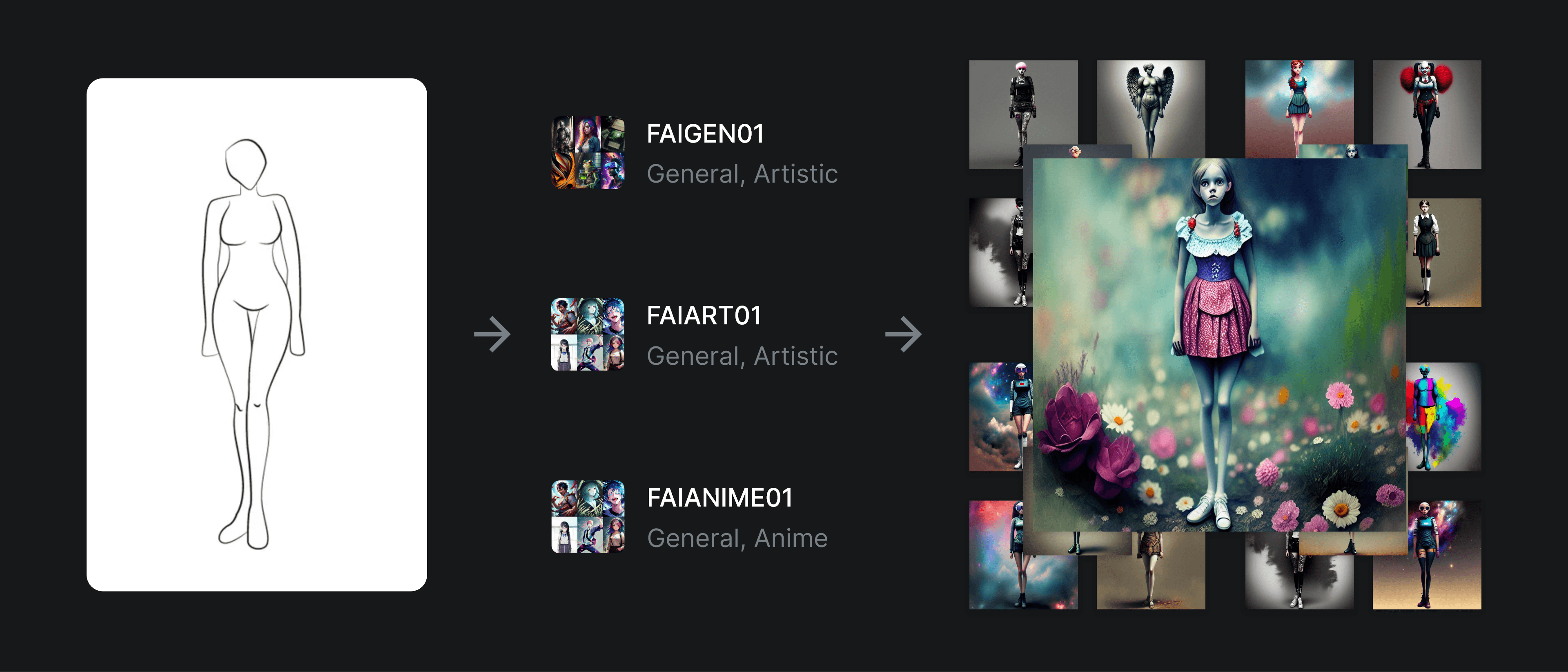
Image Uploads
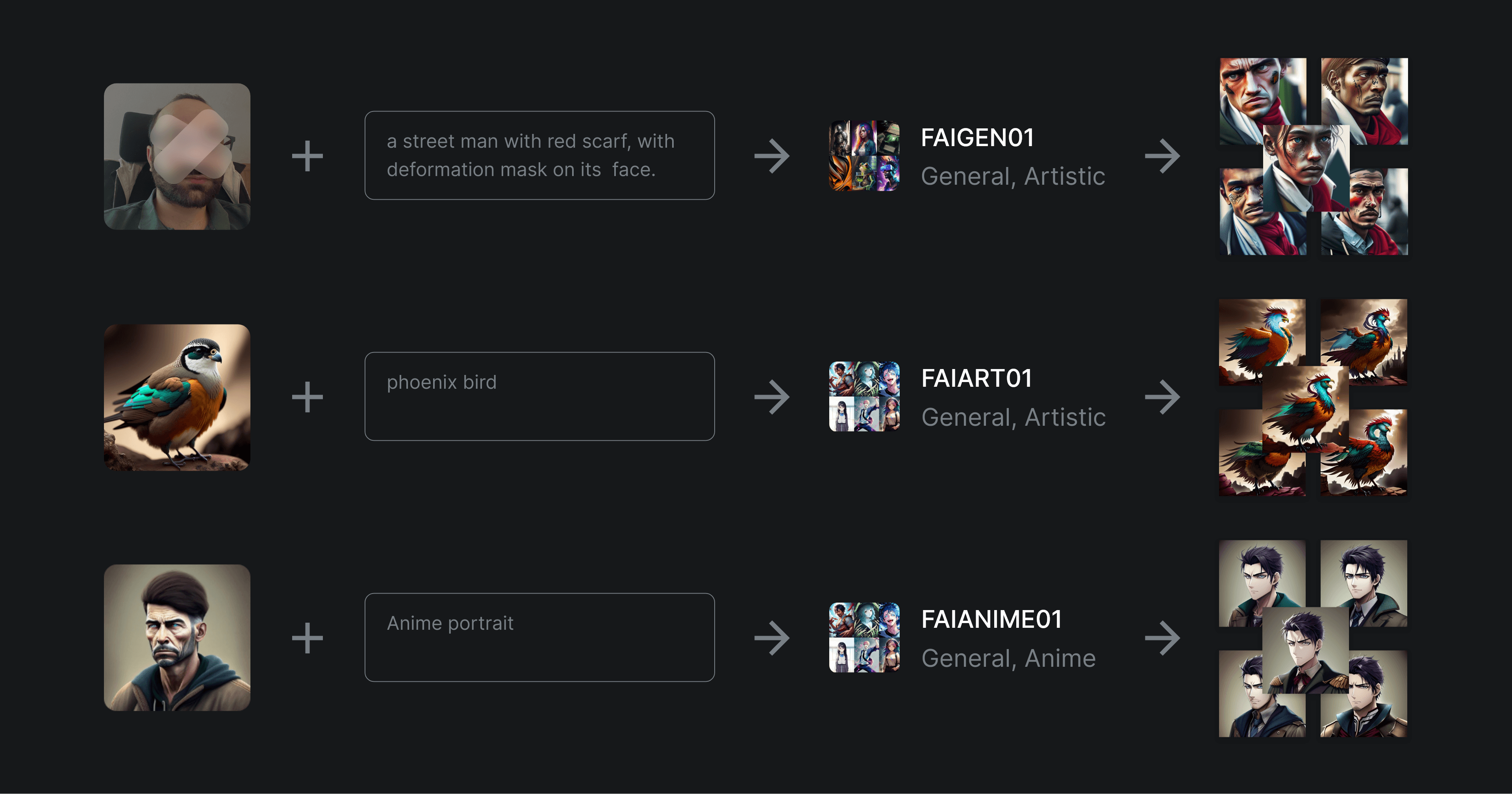
If the user wants to generate an image based on a specific photo or image, they can select the "Image Uploads" option. The user can upload any image they want, and the website will generate a unique image based on the uploaded image.
Design Process
The design process for Fuups AI began with defining the user flow and creating wireframes. I used Adobe XD to create low-fidelity wireframes and shared them with my team for feedback. We made several iterations to refine the user flow and make the website easy to use.
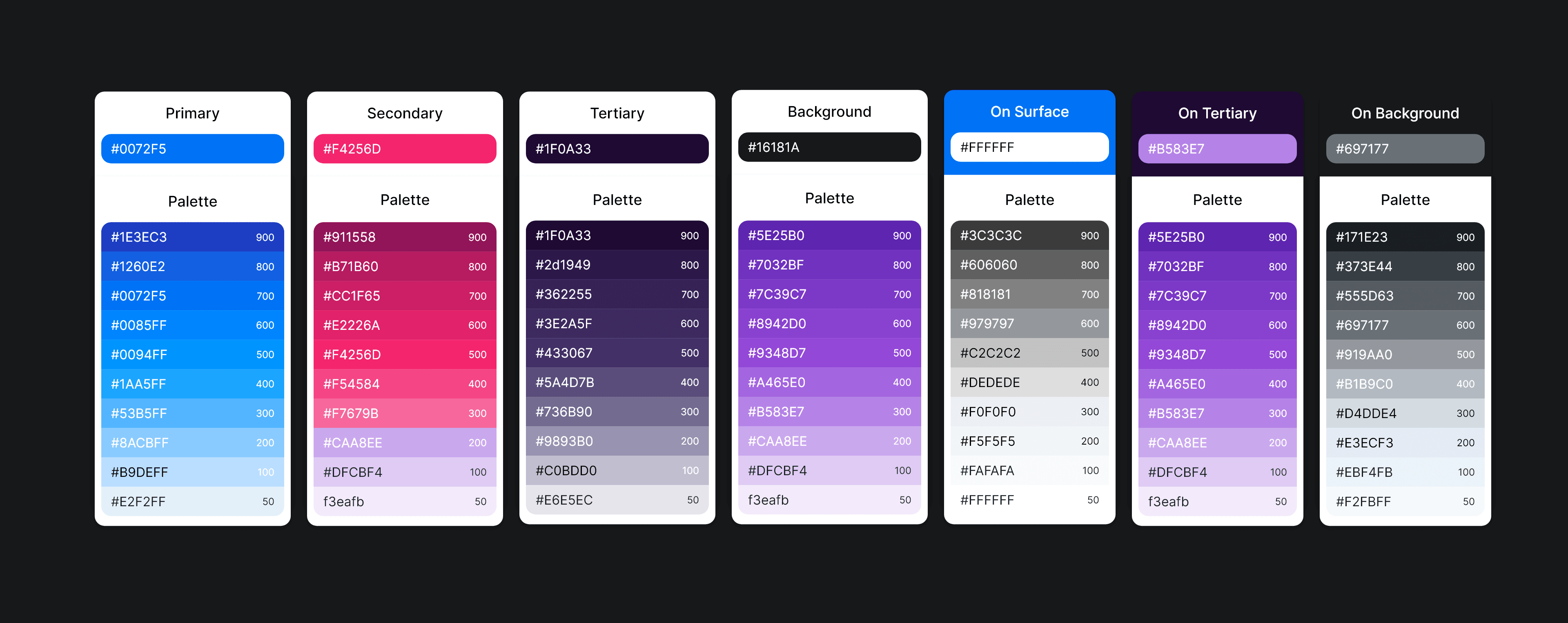
Once the user flow was finalized, I created high-fidelity designs in Adobe XD. I used a clean and modern design language with a focus on simplicity and ease of use. The website's color palette was chosen to be vibrant and appealing to users.
Information Architecture
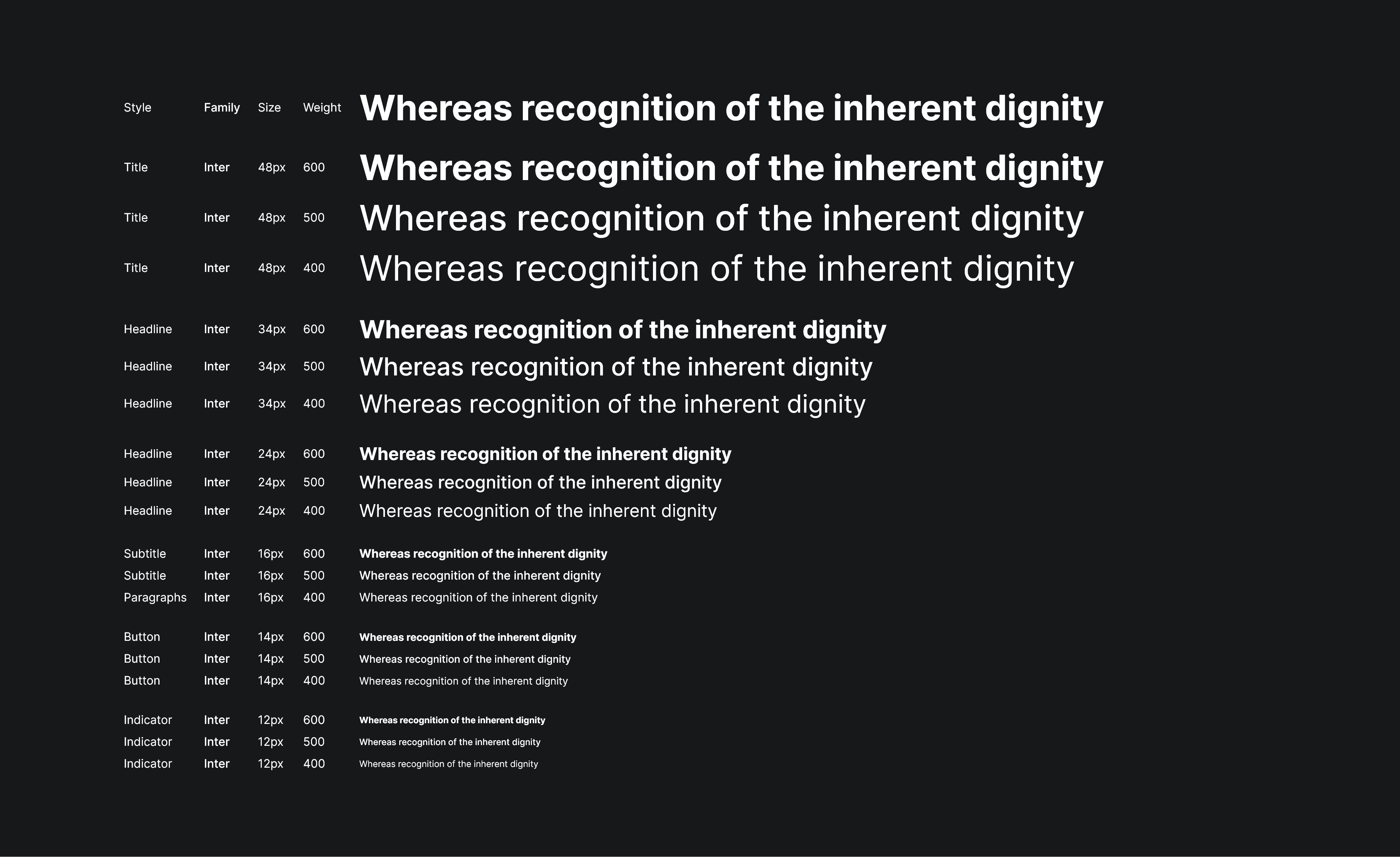
Typography
Iconography

Color Palette
Components
